You have a lot of power to customize your system, however, there are some things that only the support team can do for you. We are here to help!
We put as much functionality in your hands as we can -- it’s your system and we want you to have control over it. There are certain features that require the Farmigo team’s involvement.
If the action you want to take is a system function available to you and you’re unsure how, we're happy to show you. If it is a feature that the Farmigo Team needs to handle, we will let you know and make the change for you.
If you have any questions, please email [email protected].
Advanced Customization Requests:
Managing Payment Methods and Payment Plans
Payment methods and payment plans determine how and when you will get paid.
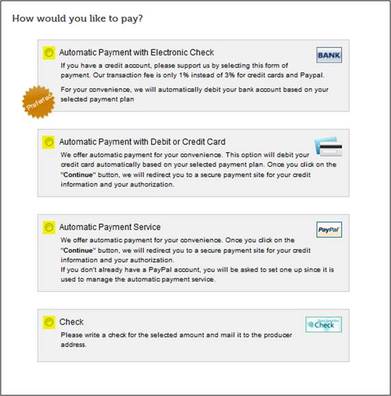
Payment methods are ways that money gets transferred from a member's account to your account. For example:
We put as much functionality in your hands as we can -- it’s your system and we want you to have control over it. There are certain features that require the Farmigo team’s involvement.
If the action you want to take is a system function available to you and you’re unsure how, we're happy to show you. If it is a feature that the Farmigo Team needs to handle, we will let you know and make the change for you.
If you have any questions, please email [email protected].
Advanced Customization Requests:
Managing Payment Methods and Payment Plans
Payment methods and payment plans determine how and when you will get paid.
Payment methods are ways that money gets transferred from a member's account to your account. For example:
|  |
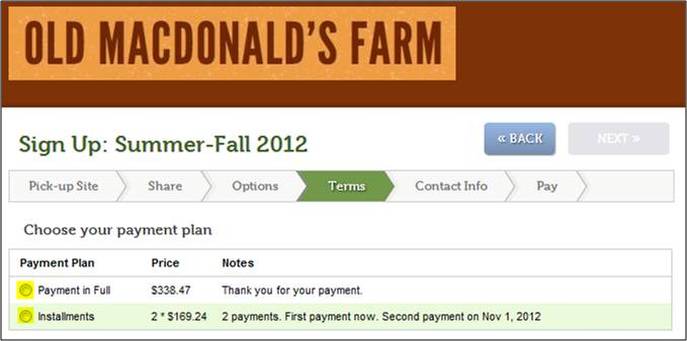
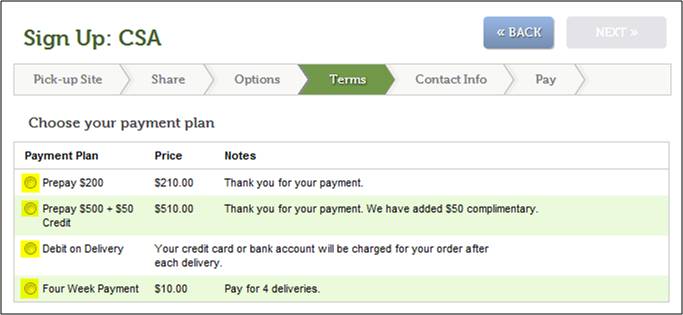
Payment plans determine the frequency with which payments are made. For example:
- Payment in Full
- Pay in installments
- Pay on Delivery
- Prepay a pre-defined amount
We can provide you with best practices for payments and then set those payment methods and plans up for you.
Delays for Sign-up and Store Orders
When your members sign up for a share or place a store order, the system allows you to control how far before delivery date they have to complete their selection: you decide – we set it up for you. Once we’ve made the change, you can look at the results:
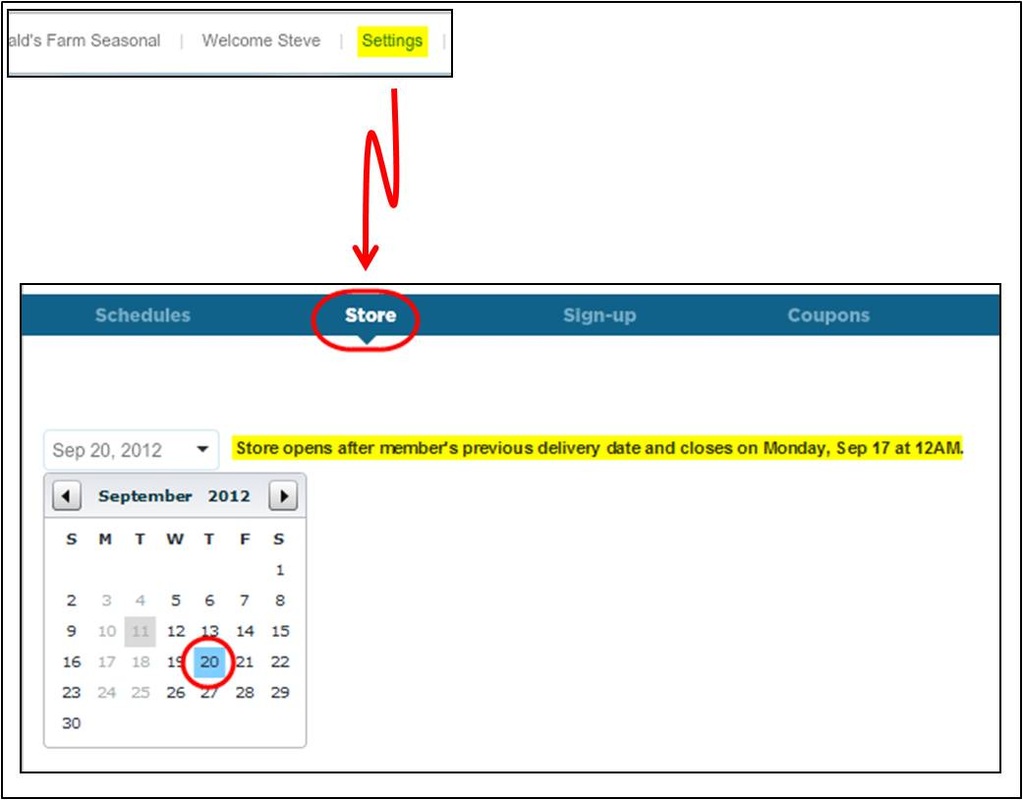
Other member actions are subject to this time requirement and must be enabled by Farmigo:
- Setting vacations
- Changing Pickup Sites
- Updating subscriptions
- Viewing balance
Setting up a New Season, Cutting a Season Short, or Extending a Season
As we pointed out in the recent Tip of the Week, "Early Bird Catches the Worm," if you are a seasonal operation, Farmigo needs to set up your new season for you. Please contact us. We are happy to get you going.
If you need to change the number of deliveries in a current schedule, there are several things to consider. For example:
Contact us and we'll walk you through the best way to do this.
If you need to change the number of deliveries in a current schedule, there are several things to consider. For example:
- Will this impact my member’s balances?
- Will this affect my member’s payments?
Contact us and we'll walk you through the best way to do this.
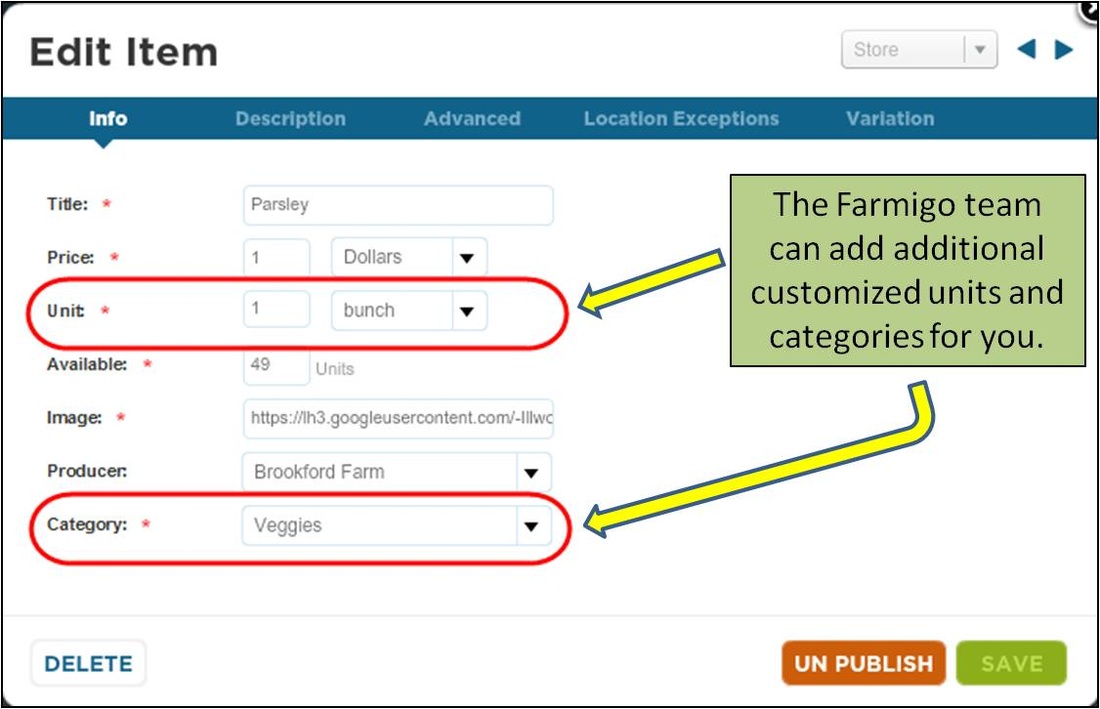
Item Management
Here are a few things that we can help you with:
- Add new categories or change existing categories for store items
- Add or change units for your store items
- Update a share or option price for all members who hold that share or option
Changing Administrative Information
We also manage things like:
- Adding your CSA policy to your sign-up process
- Updating your primary email address, phone number, or website
- Updating your logo
- Turning on comment fields for sign-ups and store orders
When Else Should I Contact You?
Please remember, whenever you need assistance, no issue is too big or too small -- we’re happy to help. Please send us an email at [email protected].